Simplify your WordPress workflow!
Build faster, cleaner, and more reliable WordPress websites using lightweight plugins designed for real-world workflows.
Get started now
The Statistics tab shows how many comments your site has and where they are. The numbers come straight from the comments table: hiding comments on the Disable tab does not change them.
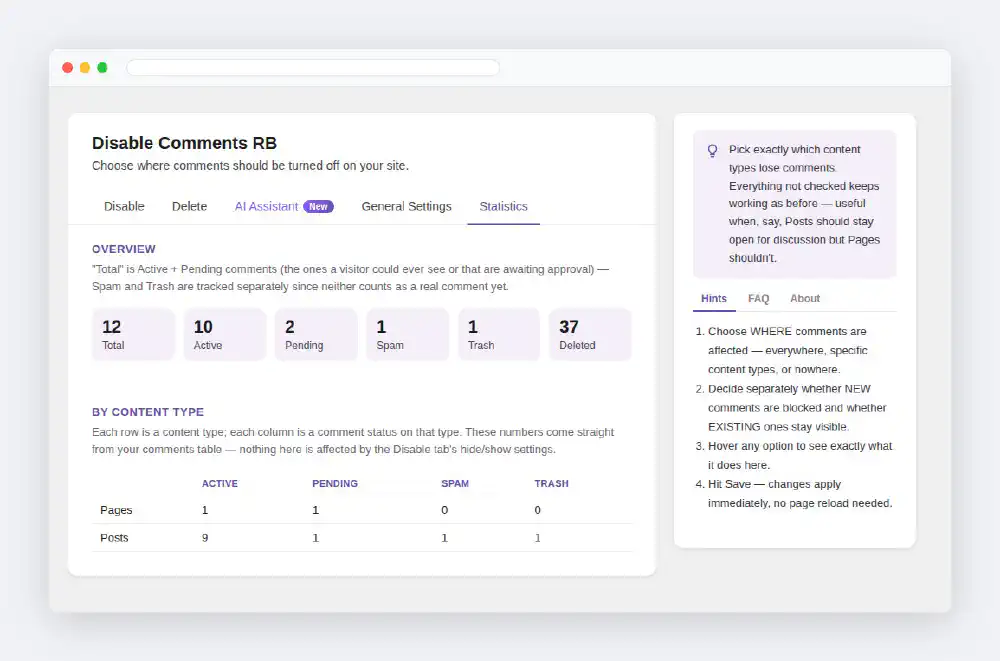
One row per content type, one column per status. Use it to see where comments pile up before you disable or delete them.
With WooCommerce active, product reviews get a section of their own with Active, Pending, Spam and Trash counts, so store reviews are not mixed with blog comments.
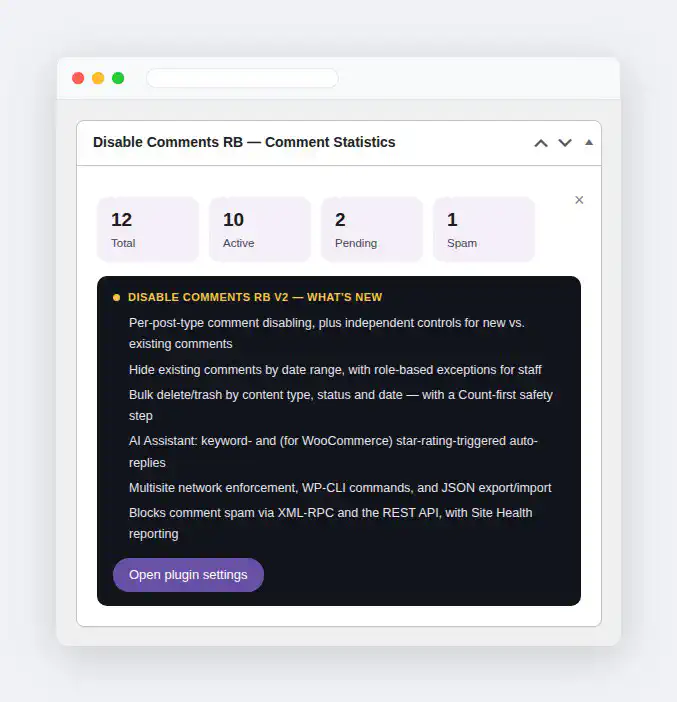
The same headline numbers are available on the WordPress Dashboard in a small widget. Turn it on or off under General settings; closing it with its × turns the option off too.
Build faster, cleaner, and more reliable WordPress websites using lightweight plugins designed for real-world workflows.
Get started now