Share your feature requests anytime
Search icon Our Plugins

Protect your WordPress content from copying

Disable Right Click RB protects your text and images with independent, granular controls — not just one on/off switch. Block right-click, text selection, copy shortcuts and image dragging, choose where protection applies, and let your own team work without restrictions.

Download for Free

  • Block right-click and text selection

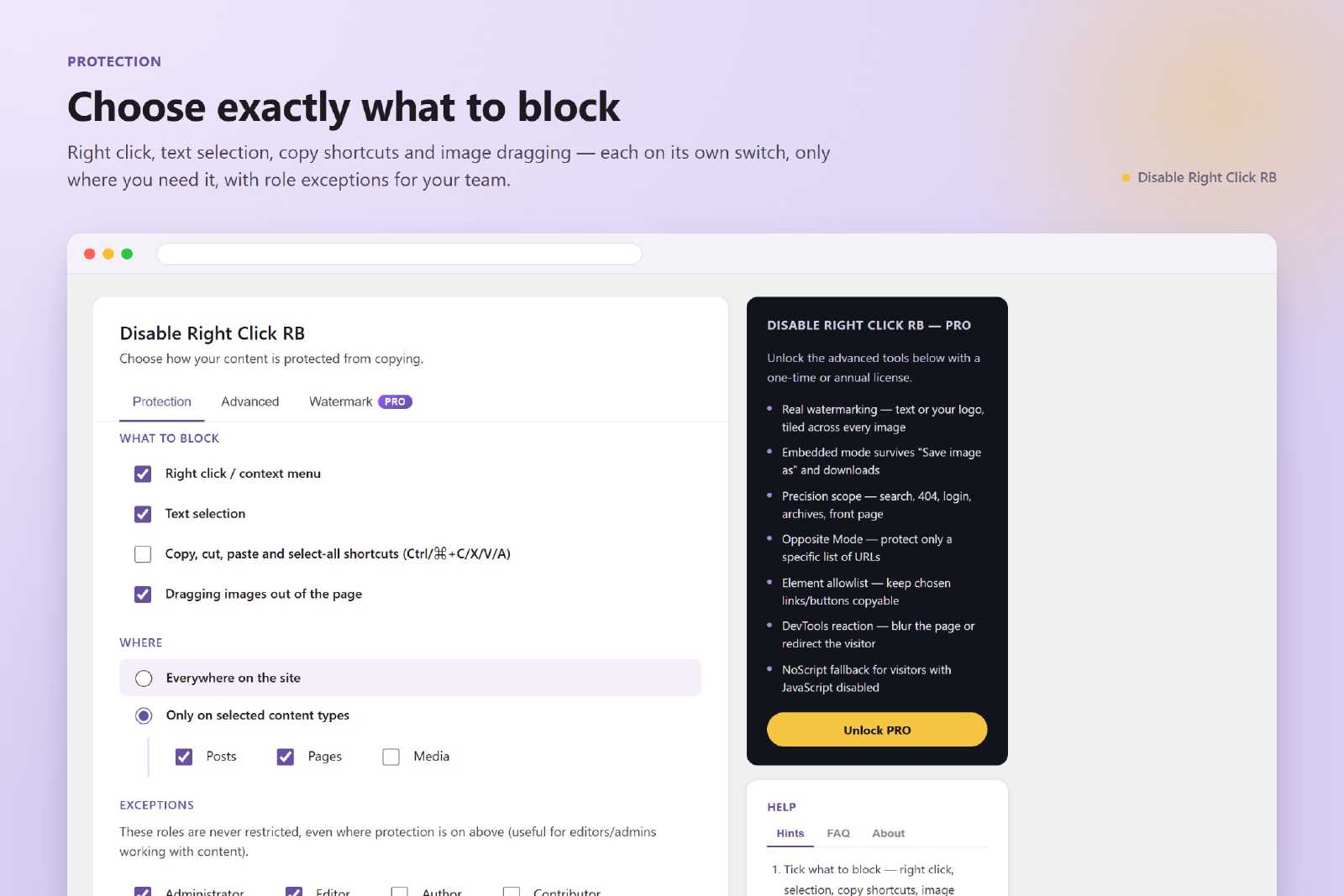
    Turn off the context menu and text selection with separate switches. Use one, both, or neither — each protection works on its own, so you decide exactly how strict your site should be.

  • Stop copy shortcuts and image dragging

    Block Ctrl/⌘+C, X, V and A, and stop visitors from dragging images out of the page. The most common ways of copying content are covered without breaking navigation, links or scrolling.

  • Protect everywhere or only where it matters

    Apply protection to the whole site or only to selected content types — posts, pages and custom post types. Keep public pages open and protect only what is worth protecting.

  • Your team is never locked out

    Exempt user roles such as editors and administrators from every restriction. Your own team keeps copying, selecting and inspecting as usual while visitors see the protected site.

  • A friendly message, not a dead end

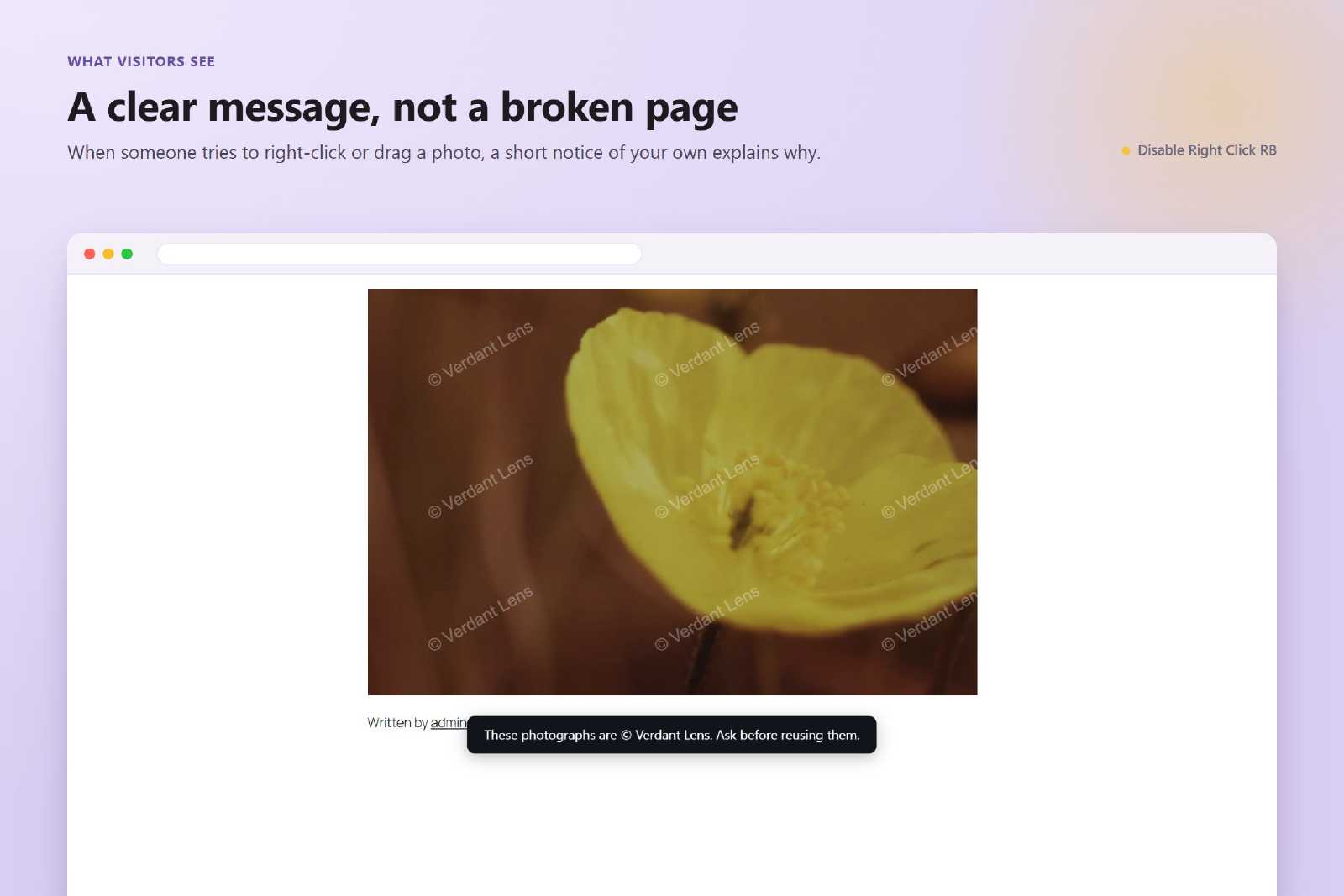
    Show a short, customizable notice when a blocked action is attempted, so visitors understand what happened instead of thinking the site is broken.

  • View-source and DevTools deterrent

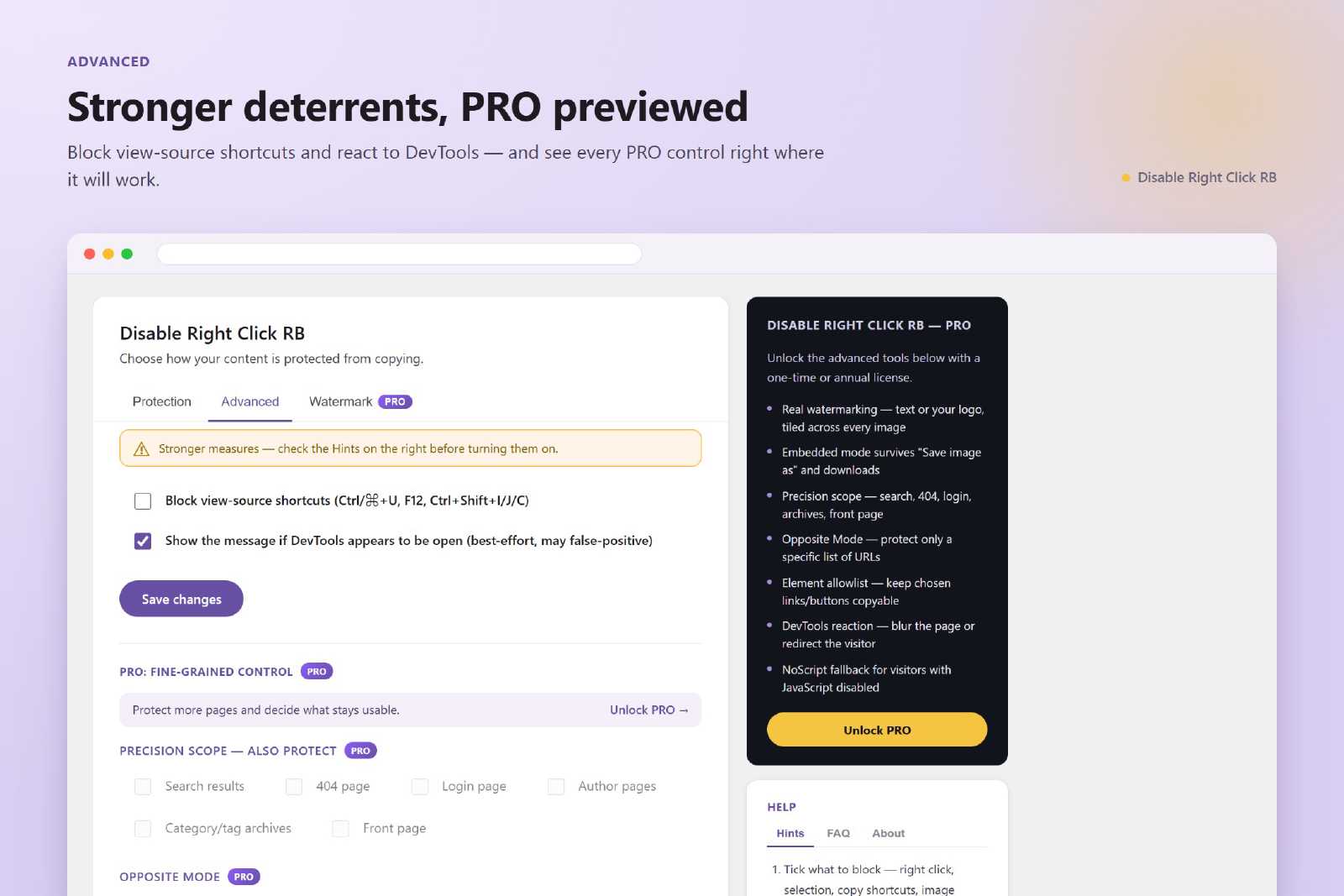
    Optionally block view-source shortcuts (Ctrl/⌘+U, F12, Ctrl+Shift+I/J/C) and show an indicator when DevTools is opened. Lightweight, with no page reloads and no theme edits.

PRO features

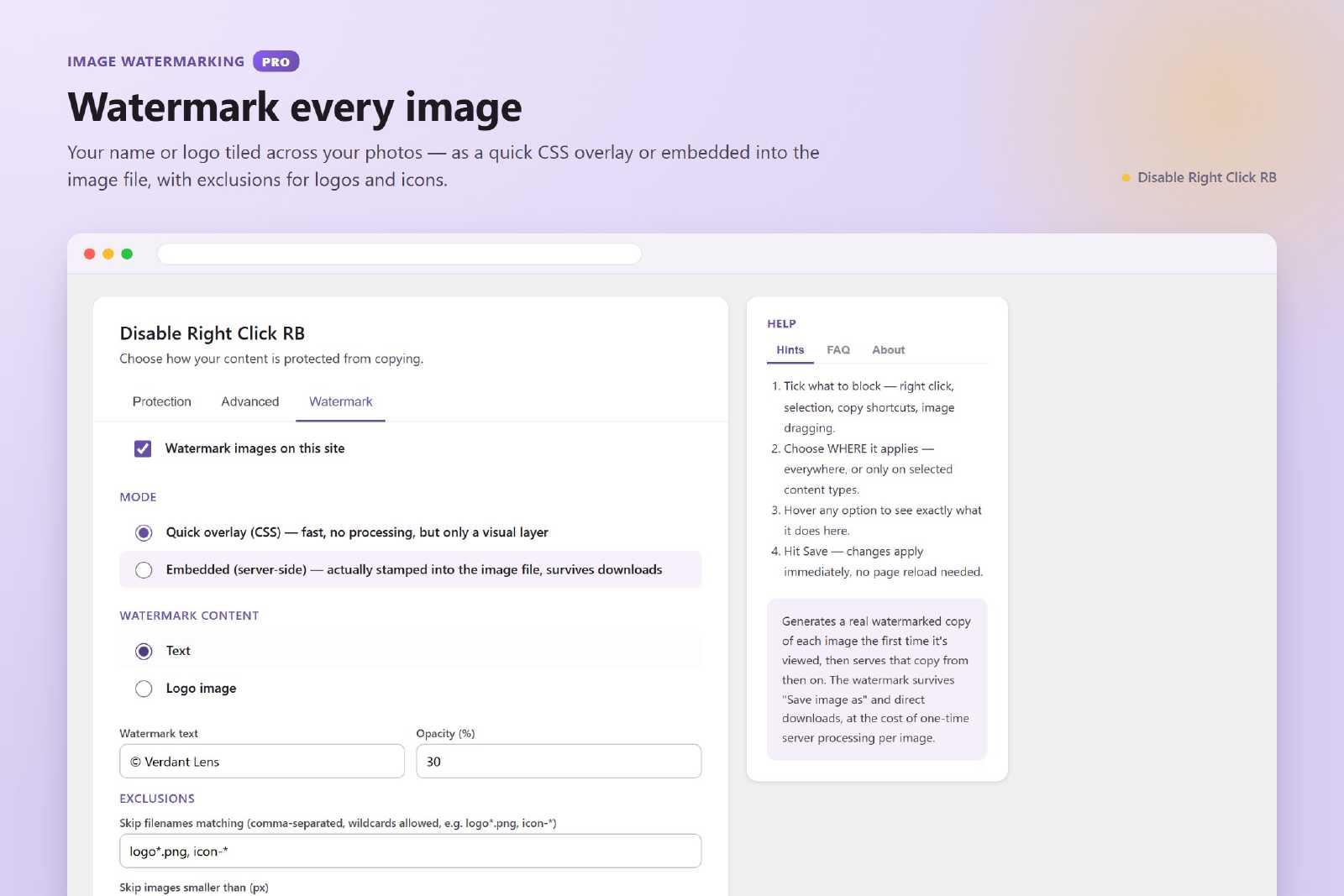
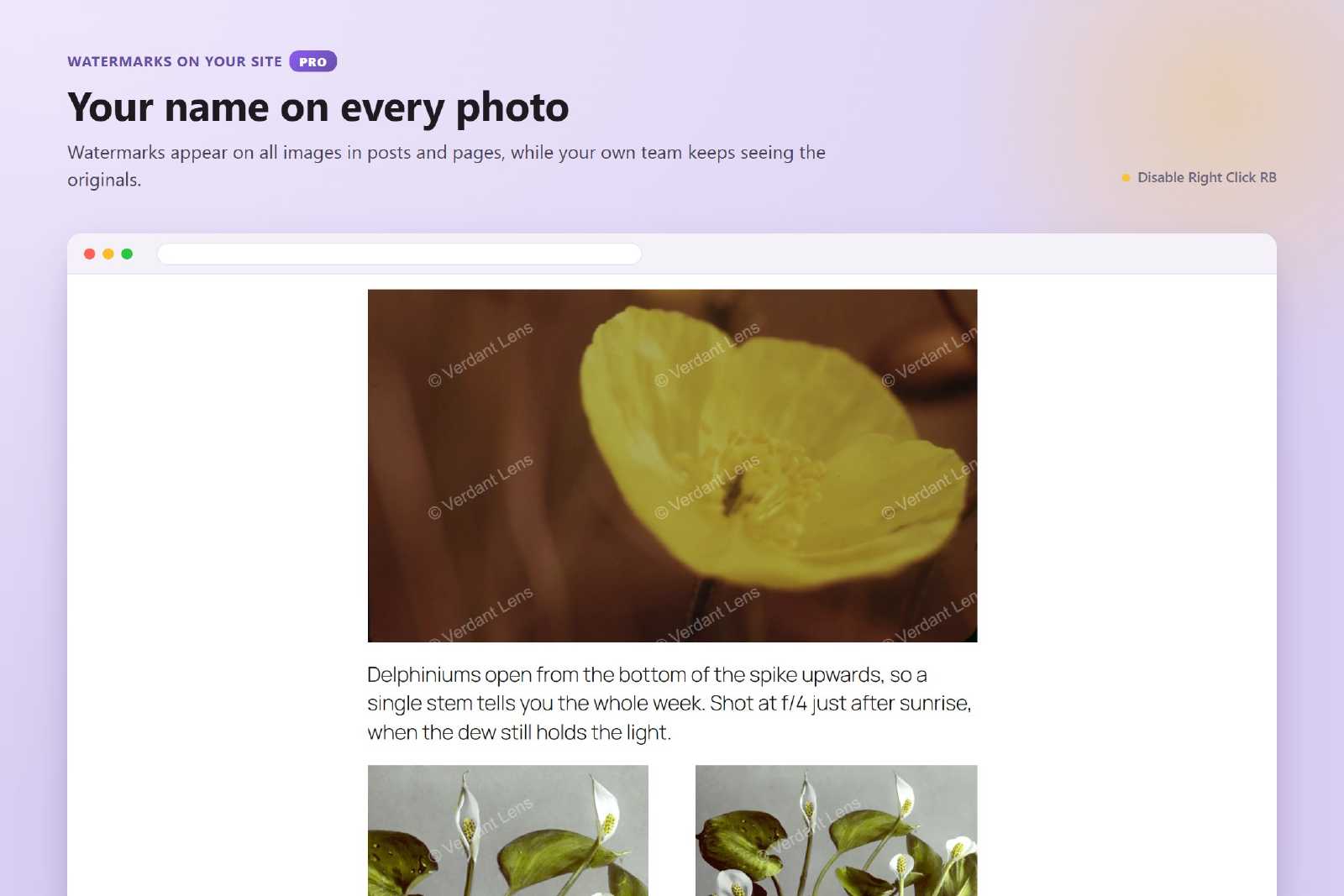
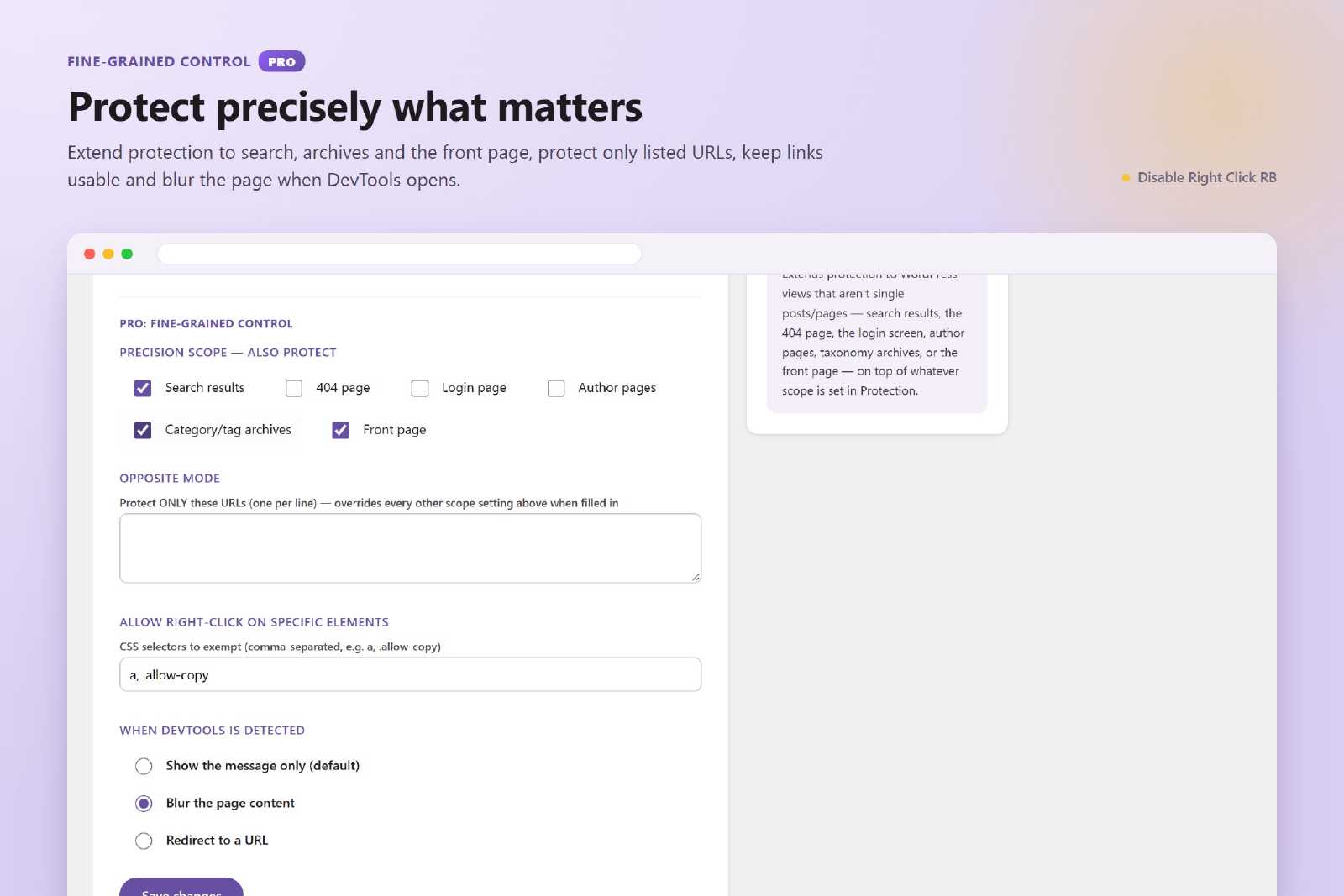
The PRO add-on goes beyond blocking clicks: it watermarks your images and gives you precise control over what is protected and where.

See Disable Right Click RB in action

The settings screen, the notice visitors see, and the PRO watermarking and fine-grained controls.

Our pricing

The free plugin covers everyday protection. PRO adds image watermarking and precise control over where protection applies. Pricing is simple and transparent: pay once, no hidden limits, no feature confusion.

  • Personal

    PRO

    Image watermarking and advanced protection rules. For individual sites and professional use.

    $30

    one time payment

    • 6 Months License
    • 1 Site License
    • Premium support
    • Early access to new features
    • Image watermarking (CSS overlay or embedded)
    • Watermarks that survive downloads
    • Exclude images from watermarking
    • Precision scope (search, 404, login, archives, front page)
    • Opposite Mode — protect only listed URLs
    • Element allowlist by CSS selector
    • DevTools reaction: blur or redirect
    • NoScript fallback protection
    • Regular updates
    • Bug fixes & security patches

    Purchase PRO

  • Business

    EXT

    Extended limits and advanced control. For teams, agencies, and content-heavy websites.

    $65

    one time payment

    • 12 Months License
    • 5 Sites License
    • Premium support
    • Early access to new features
    • Image watermarking (CSS overlay or embedded)
    • Watermarks that survive downloads
    • Exclude images from watermarking
    • Precision scope (search, 404, login, archives, front page)
    • Opposite Mode — protect only listed URLs
    • Element allowlist by CSS selector
    • DevTools reaction: blur or redirect
    • NoScript fallback protection
    • Regular updates
    • Bug fixes & security patches

    Purchase EXT

  • Enterprise

    EXT+

    Maximum flexibility and priority support. For large and advanced projects.

    $95

    one time payment

    • 12 Months License
    • Unlimited Sites License
    • High Priority support
    • Early access to new features
    • Image watermarking (CSS overlay or embedded)
    • Watermarks that survive downloads
    • Exclude images from watermarking
    • Precision scope (search, 404, login, archives, front page)
    • Opposite Mode — protect only listed URLs
    • Element allowlist by CSS selector
    • DevTools reaction: blur or redirect
    • NoScript fallback protection
    • Regular updates
    • Bug fixes & security patches

    Purchase EXT+

Get started with Disable Right Click RB

Protect your text and images from casual copying with a lightweight WordPress plugin. Choose exactly what to block and where, and keep your own team unrestricted.

Download for Free

Free on WordPress.org · No registration required