

Simplify your WordPress workflow!
Build faster, cleaner, and more reliable WordPress websites using lightweight plugins designed for real-world workflows.
Get started now
A copy is rarely meant to stay identical to its original. A landing page for another city needs the other city’s name; a copy for another site needs its links moved; a product variant needs a new name and price. The Assistant does this for you: it is a list of steps that runs on every copy made with a profile.
Open RB Plugins → Duplicate Post → Copy profiles, pick a profile and open the Assistant tab. Tick Run these steps on every copy of this profile to switch it on.
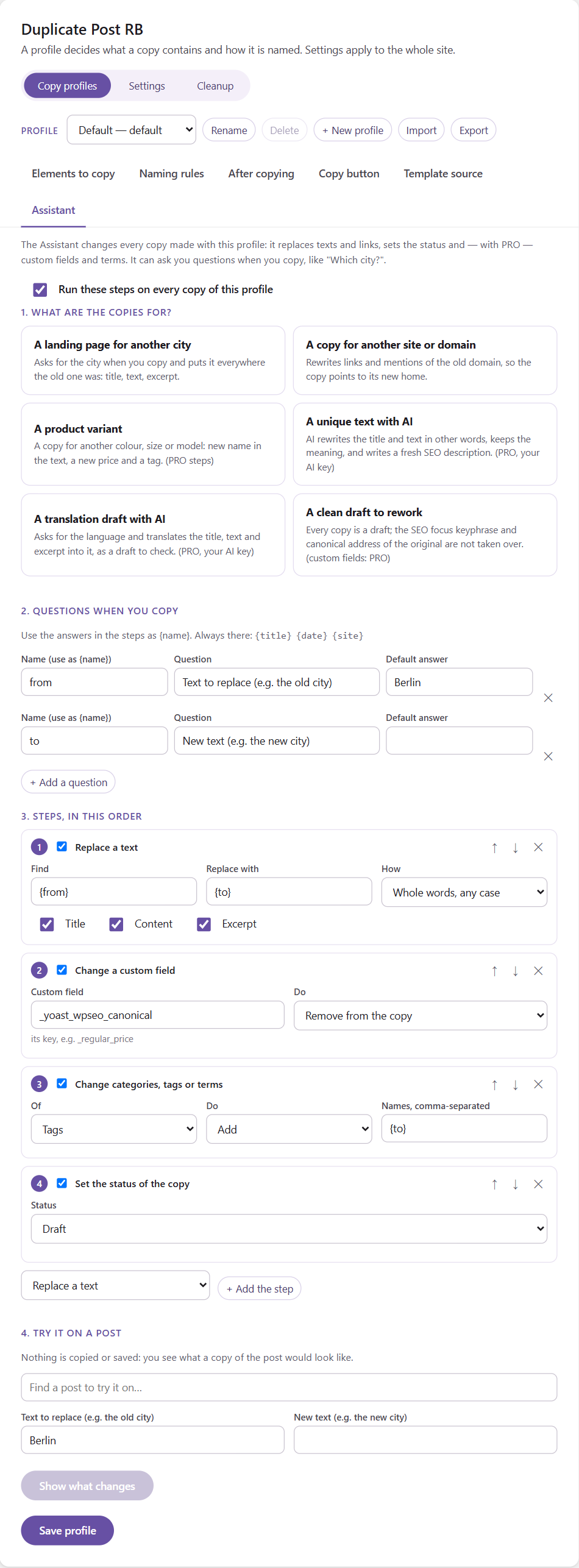
The Assistant is set up in four parts.
Start from a template. It fills in the questions and steps for a common job, and you adjust them:
Choosing a template replaces the questions and steps of the profile (you are asked first).
A question is asked in the copy dialog every time the profile is used — for example “New city?”. The answer is used in the steps as {name}: a question named to is written {to}.
| Field | Meaning |
|---|---|
| Name | how the answer is used in steps: {name} (letters, digits and _) |
| Question | the label the copy dialog shows |
| Default answer | used when the question is left empty, and when copies are made without the dialog |
Always available, without a question:
{title} — the title of the original{date} — today’s date, in the site’s date format{site} — the site name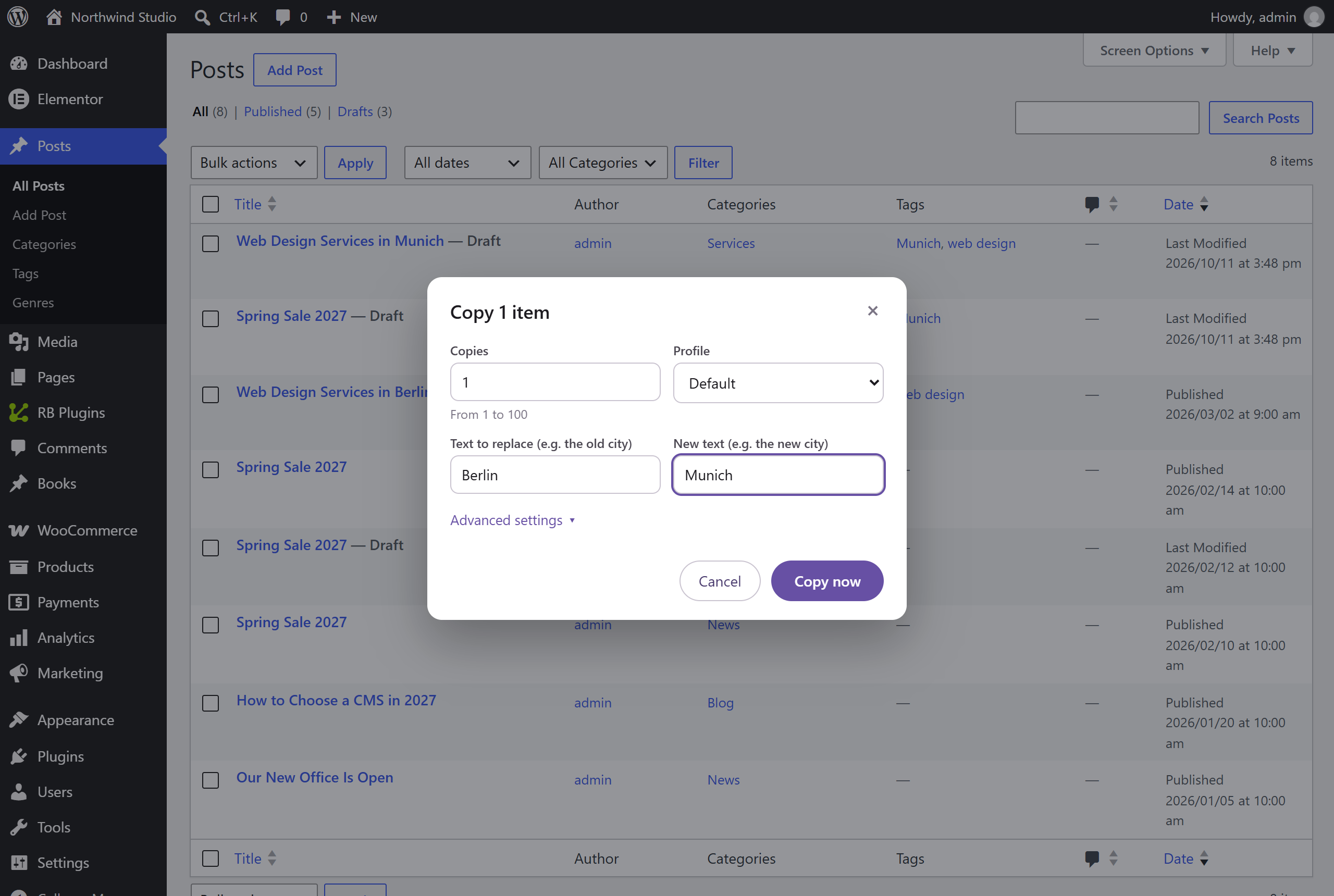
Steps run one after another; a later step sees what earlier steps changed. Each step can be switched off without deleting it, moved up or down, or removed. A profile has up to 30 steps.
Finds a text in the title, content and/or excerpt and replaces it.
berlin, Berlin and BERLIN are all found.Berlin is replaced, Berliner is not.(\d+) GB, replace with $1 TB.In the content only what people read is changed: the text, and the alt, title and label texts of elements and blocks. Class names, IDs, styles and link addresses stay as they are, so the layout never breaks. To change addresses, use the next step.
Every link and image address (href, src, and the URLs inside blocks) that starts with a text gets a new start: https://old.example.com → https://new.example.com, or /old-section/ → /new-section/.
Draft, pending review, private or published — regardless of the profile’s Status element.
_regular_price = {price}Add, remove or set exactly terms of any taxonomy, comma-separated. Names that do not exist yet are created.
Rewrite with AI, Translate with AI and Write with AI (excerpt, SEO title, SEO description) — see AI.
Find a post, answer the questions and click Show what changes. You see the title, excerpt, status and content as they are and as a copy would have them, plus what the custom field and term steps would do. Nothing is copied or saved.
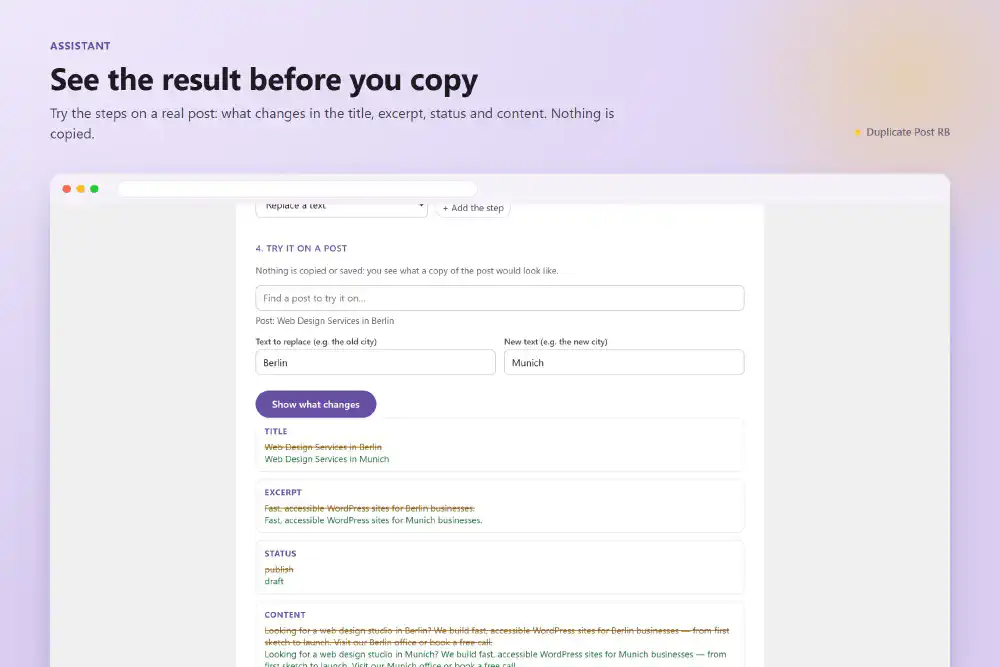
Click Save profile when the steps are right.
--answer=name=value).Build faster, cleaner, and more reliable WordPress websites using lightweight plugins designed for real-world workflows.
Get started now