

Simplify your WordPress workflow!
Build faster, cleaner, and more reliable WordPress websites using lightweight plugins designed for real-world workflows.
Get started now
A redirect sends the visitor of one address — the source — to another — the target. Open RB Plugins → Redirection → Redirects.
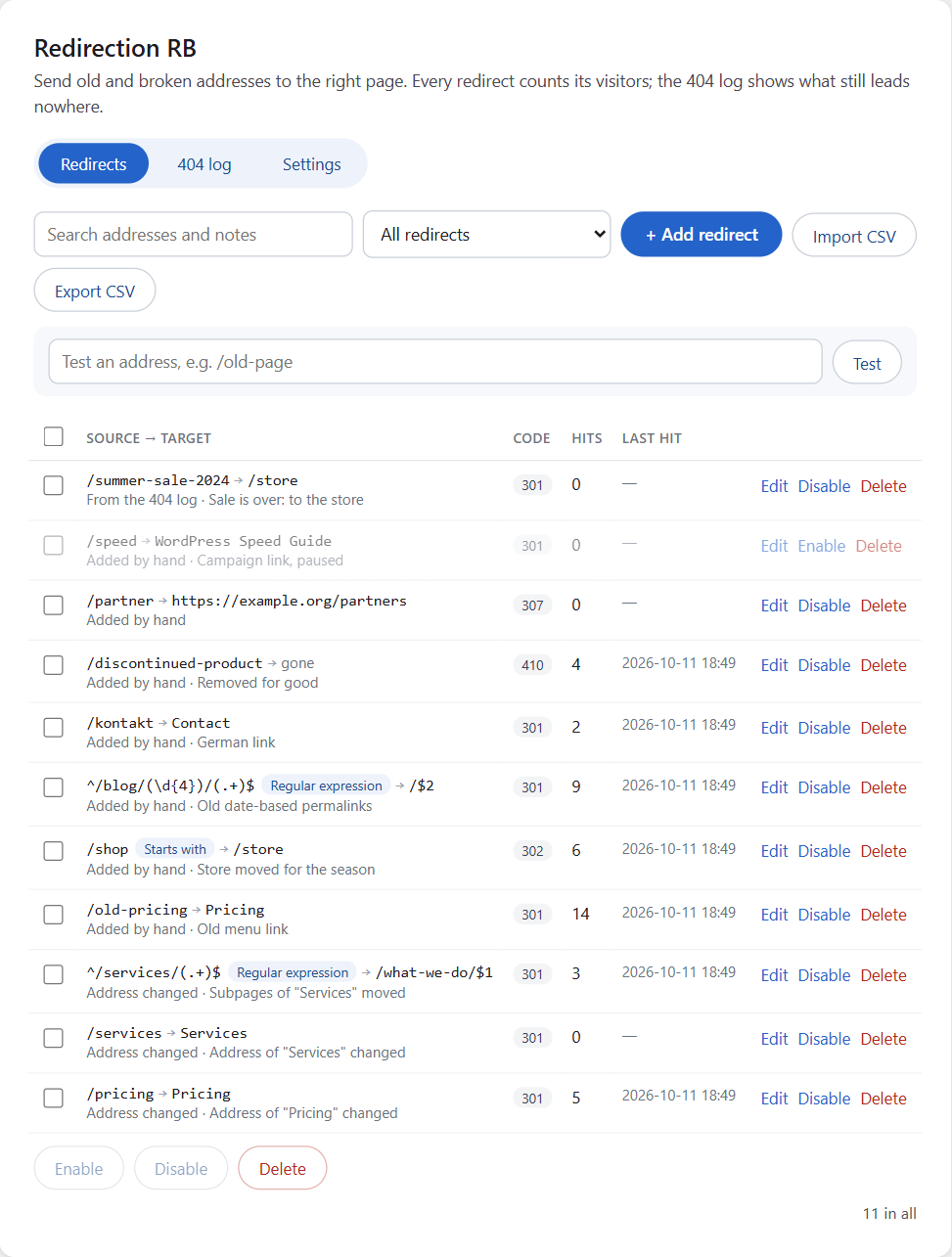
Each row shows the source and where it goes, the code, how often it was used (hits) and when last. The grey line under it says where the redirect came from — Added by hand, Address changed, From the 404 log, Imported or Duplicate Post RB cleanup — and your note.
Click + Add redirect.
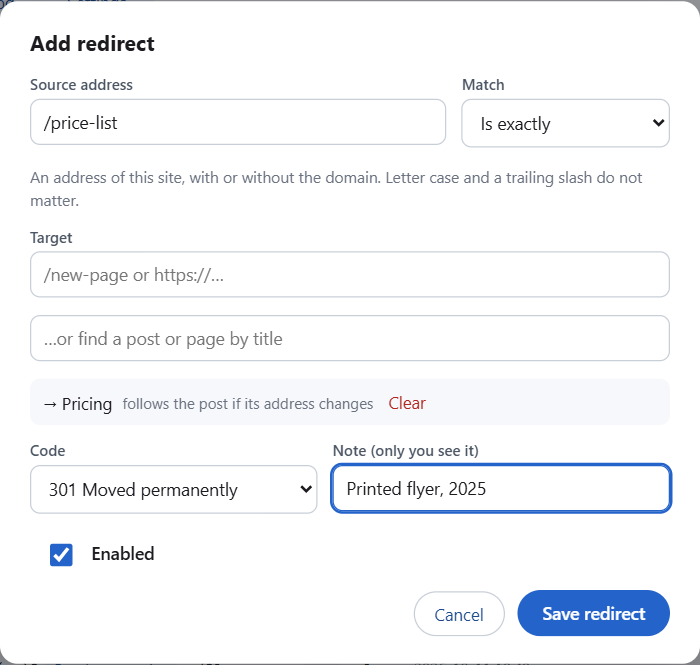
| Field | Meaning |
|---|---|
| Source address | the old address: /old-page, or the full URL of this site |
| Match | how the source is compared — see below |
| Target | the new address: /new-page or https://… |
| …or find a post or page | the target is a post: the redirect follows it even when its address changes |
| Code | the HTTP status — see below |
| Note | a reminder only you see, e.g. “Printed flyer, 2025” |
| Enabled | a disabled redirect is kept but does nothing |
The source and the target are checked when you save: a pattern must be valid, the target must start with / or http(s)://, a redirect may not point to its own address, and there can be only one rule for the same source.
/Old-Page/ and /old-page are the same./old-blog/ for a whole section.^/blog/(\d{4})/(.+)$. Use $1, $2 in the target for the parts in brackets: /news/$2.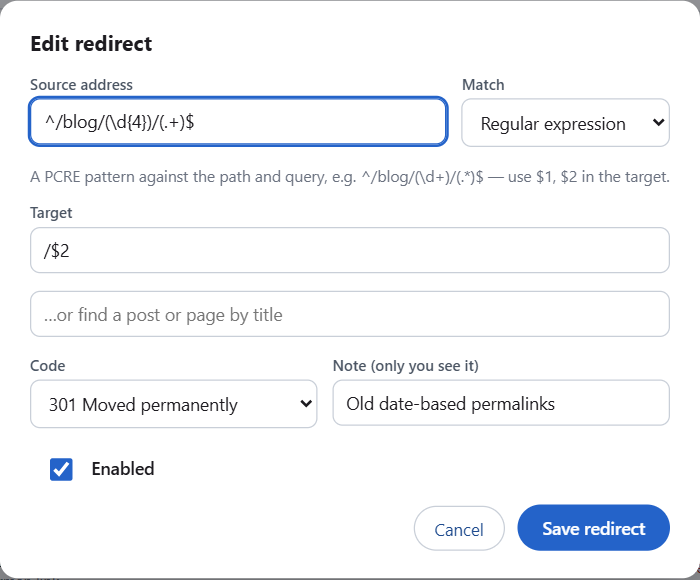
An exact rule always wins over a pattern. Among patterns, the oldest rule wins.
The parts of the address a visitor sends ($1, $2) can never take the redirect to another site: a target such as /$1 always stays on your site, and a target such as https://example.com/$1 always stays on example.com.
| Code | Use it when |
|---|---|
| 301 Moved permanently | the page moved for good — search engines move its ranking (the usual choice) |
| 302 Found, 307 Temporary redirect | for a while, e.g. a seasonal sale page |
| 308 Permanent redirect | like 301, keeping the request method (forms, APIs) |
| 303 See other | after a form was sent |
| 410 Gone | the page was removed on purpose and will not come back — no target |
/old?utm_source=mail goes to /new?utm_source=mail, so campaign tracking survives. A target with its own query string keeps its own. Switch this off in Settings.
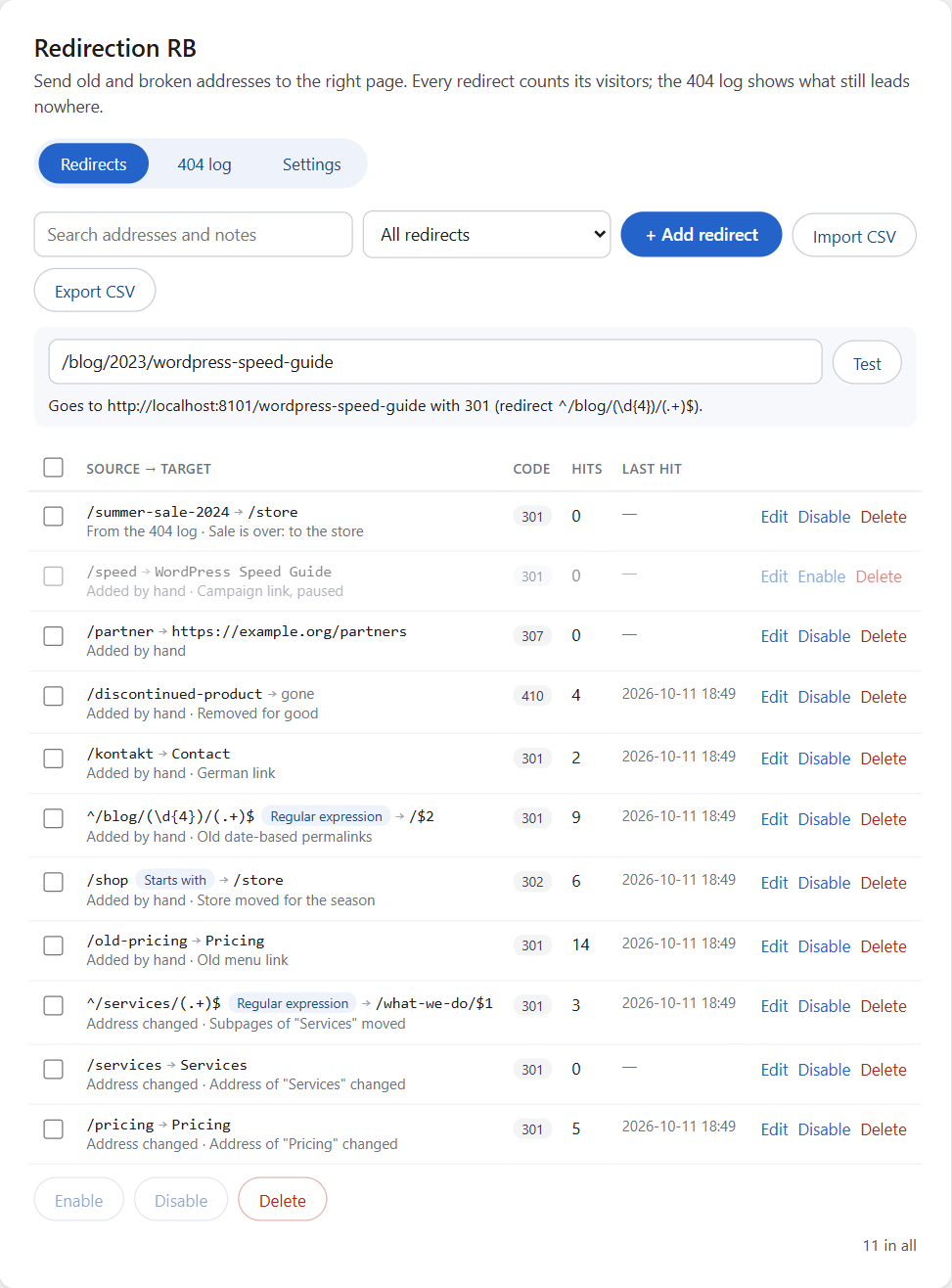
Type any address in Test an address and click Test: you see which redirect answers it, where it sends the visitor and with which code — or that WordPress shows the address as it is.
The WordPress admin, the login page, the REST API, AJAX and WP-Cron requests and previews — so even a rule for / cannot lock you out.
Build faster, cleaner, and more reliable WordPress websites using lightweight plugins designed for real-world workflows.
Get started now