

Simplify your WordPress workflow!
Build faster, cleaner, and more reliable WordPress websites using lightweight plugins designed for real-world workflows.
Get started now
Open RB Plugins → Redirection → Settings. Changes are saved with Save settings.
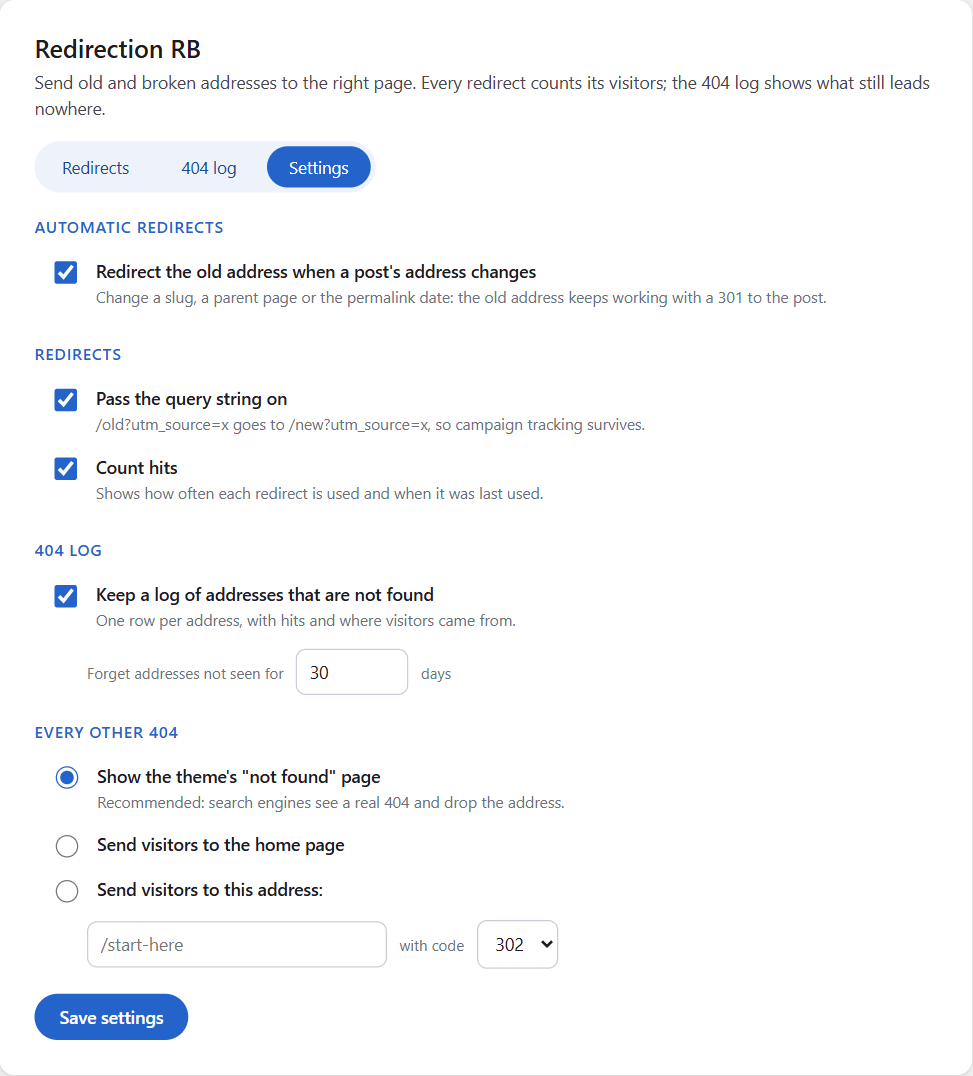
Redirect the old address when a post’s address changes — on by default. See Automatic redirects.
/old?utm_source=x goes to /new?utm_source=x. On by default.What happens to an address that has no redirect: the theme’s “not found” page (recommended), the home page, or an address of your choice with code 302, 301 or 307.
Administrators (users who may manage options). Developers can change this with the rb_redirection_capability filter — see For developers.
Every site of a network has its own redirects, 404 log and settings. Network activation prepares every site, and new sites are prepared when they are created.
Deactivating keeps everything. Deleting the plugin removes its tables, settings and schedule — on every site of a network.
Build faster, cleaner, and more reliable WordPress websites using lightweight plugins designed for real-world workflows.
Get started now