

Simplify your WordPress workflow!
Build faster, cleaner, and more reliable WordPress websites using lightweight plugins designed for real-world workflows.
Get started now
Duplicate Post RB duplicates posts, pages and custom post types in WordPress with full control over what gets copied — and an Assistant that adapts every copy. This guide gets you from installation to your first adapted copy in a few minutes.
The plugin works at once with its default settings. Its screen is RB Plugins → Duplicate Post.
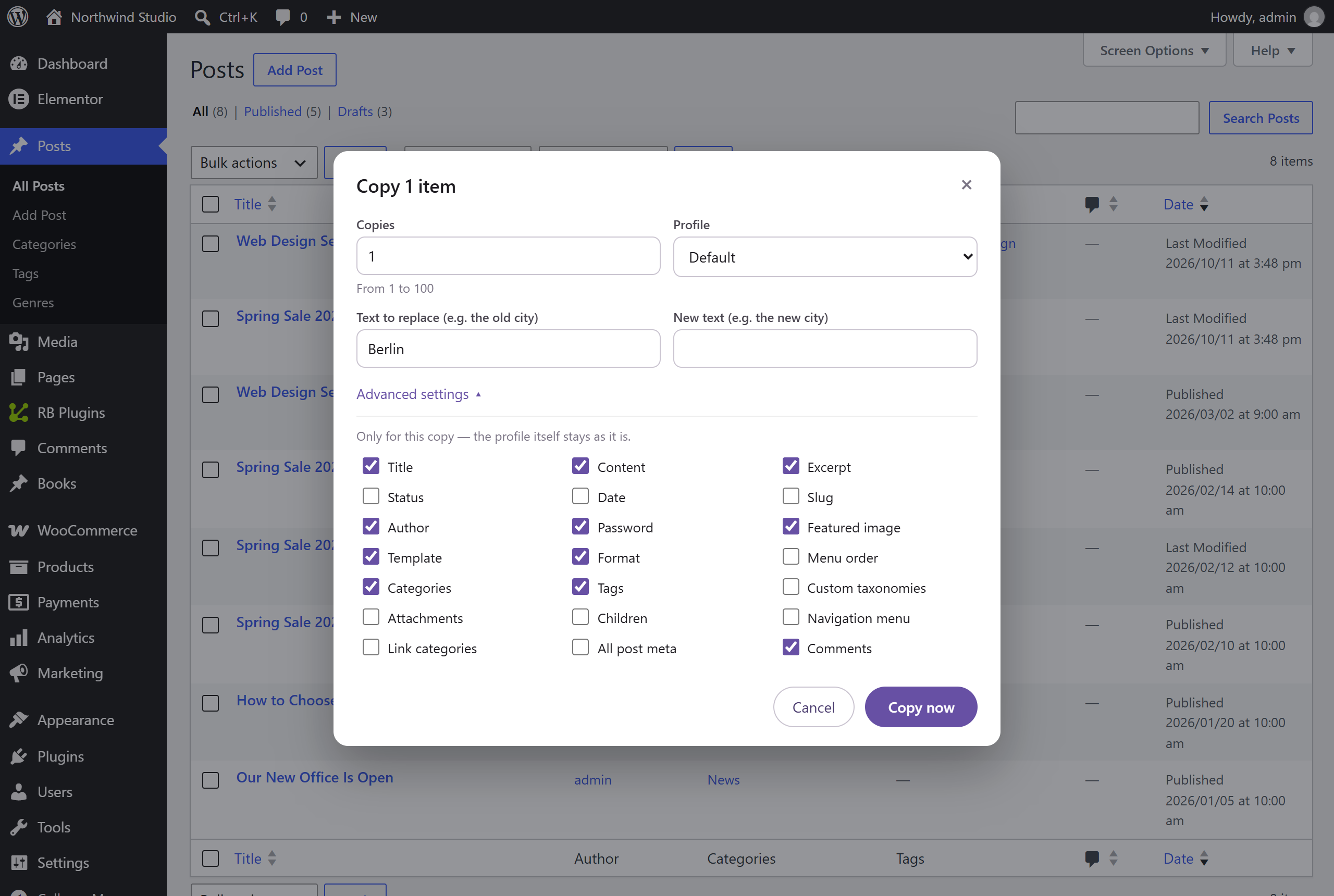
The copy is created as a draft. Copy is also in the admin bar, the block and classic editor, and the Bulk actions menu for many posts at once.
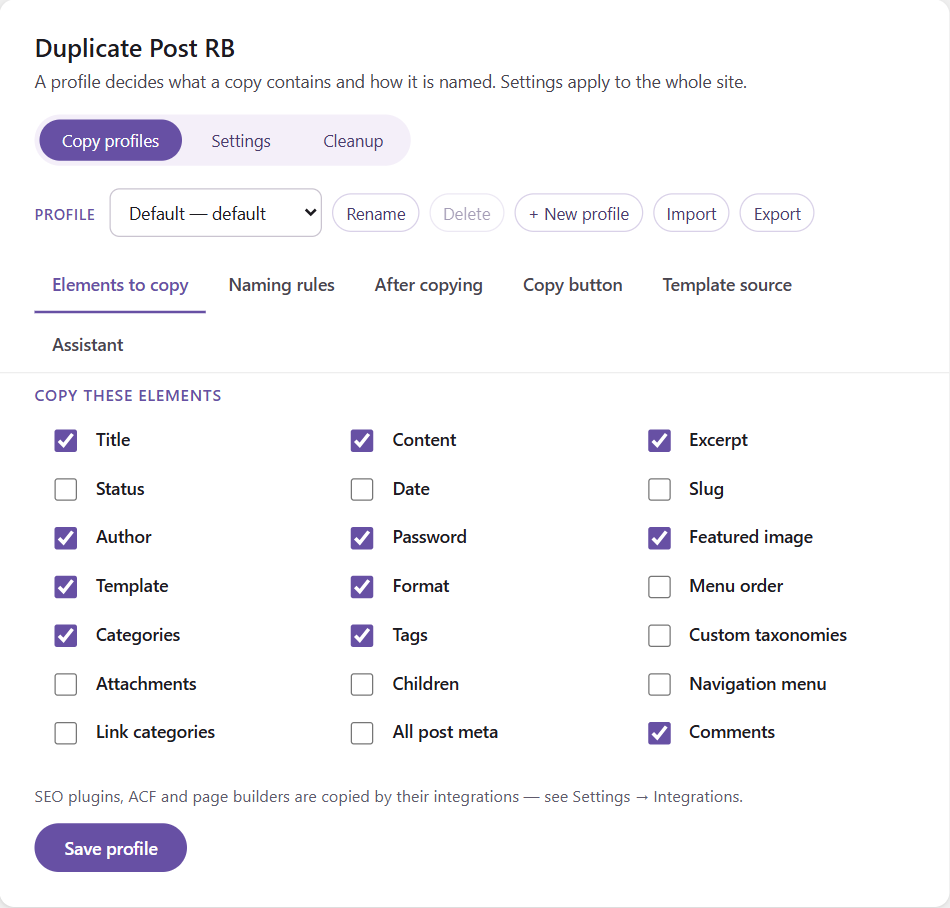
By default a copy takes the title, content, featured image, template, format, author, password and tags of the original.
The screen has three views: Copy profiles, Settings and Cleanup. In Copy profiles a profile decides:
[Counter], [CurrentDate], [CurrentTime]Keep the Default profile for everyday copies and add profiles for special jobs. Click Save profile after changes.
Open a profile’s Assistant tab and pick what the copies are for — e.g. A landing page for another city. When you copy, the dialog asks “New city?”, and the copy has the new city in its title, text and excerpt. Try it on a post shows the result before you copy. Read more
Duplicate Post RB PRO adds AI with Claude, ChatGPT or Grok, Auto copy on publish, automatic cleanup, WooCommerce products with variations, Elementor, WPBakery and Jetpack data (Integrations), pages copied as posts and back, profile import and export.
wp rb-duplicate-post duplicate 1,2,6 --profile=34
Build faster, cleaner, and more reliable WordPress websites using lightweight plugins designed for real-world workflows.
Get started now