Share your feature requests anytime
Search icon Our Plugins

Rewrite & Republish

Overview

Changing a live page directly is risky: half-finished edits are visible at once, and every save goes public. Rewrite & Republish gives you a private draft of a published post. Edit it as long as you need; when you publish it, its changes go into the original and the draft disappears.

The original keeps everything that makes it the same page: its ID, address (slug), publication date, author and comments. Links, search rankings and statistics stay with it.


Start a rewrite

Hover a published post in Posts → All Posts (or pages, or any supported post type) and click Rewrite & Republish. The same link is in the admin bar when you edit a published post.

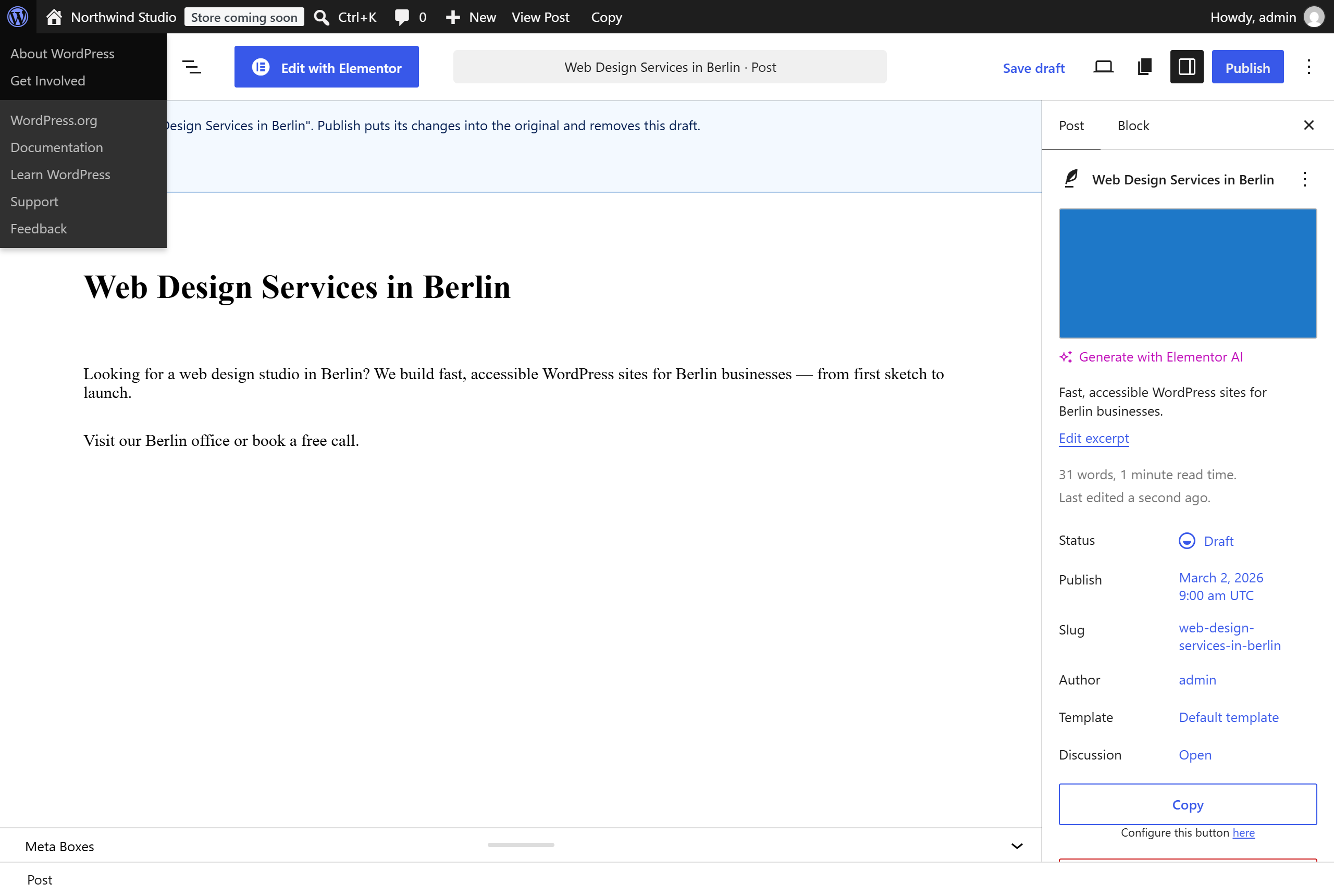
The rewrite opens in the editor. A note at the top names the original. The lists show it as “Rewrite of …”, and the original as “Rewrite in progress”. A post has one rewrite at a time: clicking the link again opens the same rewrite (Edit the rewrite).


Republish

Click Publish in the rewrite.

  • Block editor — the changes go into the original and the editor opens the original, with a note that it was republished.
  • Classic editor (and products in WooCommerce) — the same, after the page reloads.
  • Scheduled — set a date in the future and click Schedule: the rewrite waits and republishes itself at that time.

The rewrite itself is never public, not even for a moment.

What goes into the original

  • Title, content, excerpt, password, menu order, comment and ping settings
  • Categories, tags and every other taxonomy — a term removed in the rewrite is removed from the original too
  • Custom fields — a field removed in the rewrite is removed from the original
  • SEO: Yoast SEO, Rank Math and All in One SEO data
  • ACF fields
  • WooCommerce (PRO): prices, stock, attributes and variations — the product keeps its SKU, sales and variation IDs, so orders stay linked; a variation removed in the rewrite is removed, a new one is added
  • Elementor, WPBakery and Jetpack data (PRO)

What stays with the original

ID, address, publication date, status, author, comments, SKU and sales of a product.


Who can do it

  • Users who may edit the original can start a rewrite.
  • Republishing needs the right to edit and publish the original — an author for their own posts, an editor for all; a contributor cannot republish.
  • Turn the feature off in Settings → Buttons → Rewrite & Republish.

Good to know

  • If the original is deleted, its rewrite stays as an ordinary draft.
  • A rewrite is never treated as a duplicate by the Cleanup.
  • The profile’s Assistant and “Copy as” never apply to a rewrite.
  • Every republish is in the log.

Next steps

Simplify your WordPress workflow!

Build faster, cleaner, and more reliable WordPress websites using lightweight plugins designed for real-world workflows.

Get started now