

Simplify your WordPress workflow!
Build faster, cleaner, and more reliable WordPress websites using lightweight plugins designed for real-world workflows.
Get started now
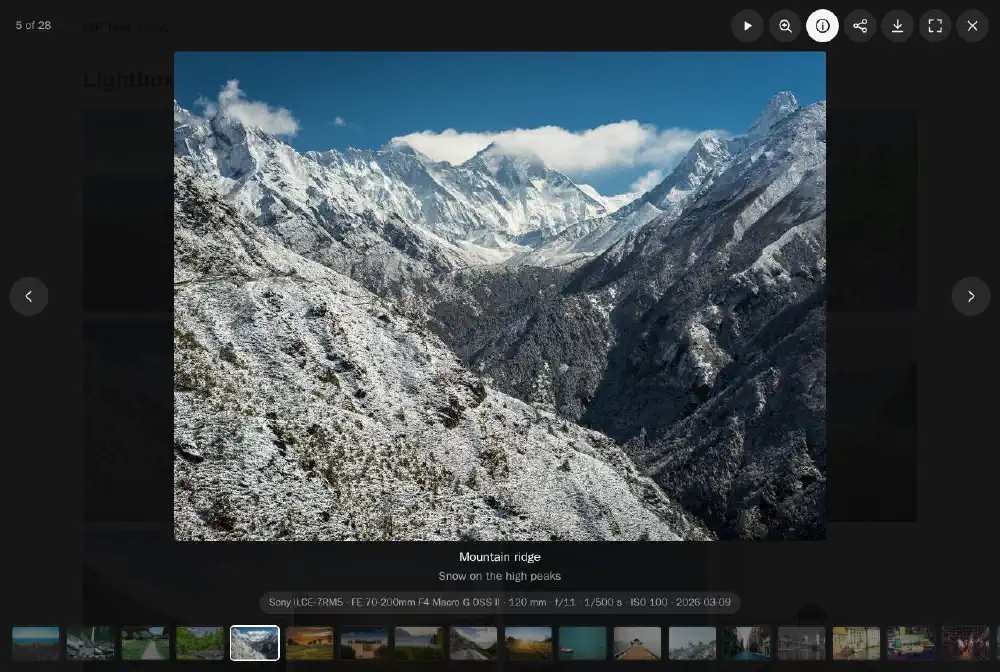
The lightbox shows a gallery’s photos and videos over the page, one at a time. Its settings are on the Lightbox tab of the gallery editor.
The first setting decides what a click on an image does:
| Setting | Meaning |
|---|---|
| Theme | Dark or Light background |
| Title and caption | the texts under the image |
| Thumbnails | a strip of all the gallery’s images at the bottom |
| Camera info (EXIF) | camera, lens, focal length, aperture, shutter speed and ISO of the photo |
| Zoom | a click on the image shows it at full size; drag to look around |
| Fullscreen button | the lightbox fills the whole screen |
| Download button | downloads the full-size image |
Turn the Download button off for photos you sell — see Selling photos — and see Protect your photos for more.
A thin bar shows how long the photo stays. When the visitor moves to another photo by hand, its time starts again.
YouTube and Vimeo videos play in the lightbox with their own player, video files (MP4, WebM) with the browser’s player. The video stops when the visitor moves on or closes the lightbox. YouTube is loaded from youtube-nocookie.com and Vimeo with “do not track”.
| Desktop | Phone and tablet | |
|---|---|---|
| Next / previous | arrows on the screen, ← → keys, a sideways swipe on the touchpad | swipe |
| First / last | Home, End | — |
| Close | ×, Esc, a click on the background | × |
The lightbox keeps the keyboard focus inside while it is open and gives it back to the image afterwards, so it can be used without a mouse and with a screen reader.
Sharing lists the networks of the share menu: Facebook, X, Pinterest, LinkedIn, WhatsApp, Telegram, Email and Copy link. On phones the share button opens the phone’s own share sheet with all its apps.
The link shared is the link to this photo — see below.
With Link to the open image (#hash) the address in the browser changes while the lightbox is open, e.g.
https://example.com/wedding/#pgrb-12-1/a345
Copy and send this address, and the page opens with the same photo in the lightbox. The address goes back to normal when the lightbox closes.
Build faster, cleaner, and more reliable WordPress websites using lightweight plugins designed for real-world workflows.
Get started now