

Simplify your WordPress workflow!
Build faster, cleaner, and more reliable WordPress websites using lightweight plugins designed for real-world workflows.
Get started now
Imports, repeated copies and forgotten drafts leave duplicates behind. The Cleanup view finds them, keeps one of each group and removes the rest — to the trash or for good. With our free RB Links Redirection plugin, every removed published page redirects to the one that stays, so no link breaks.
Open RB Plugins → Duplicate Post → Cleanup.
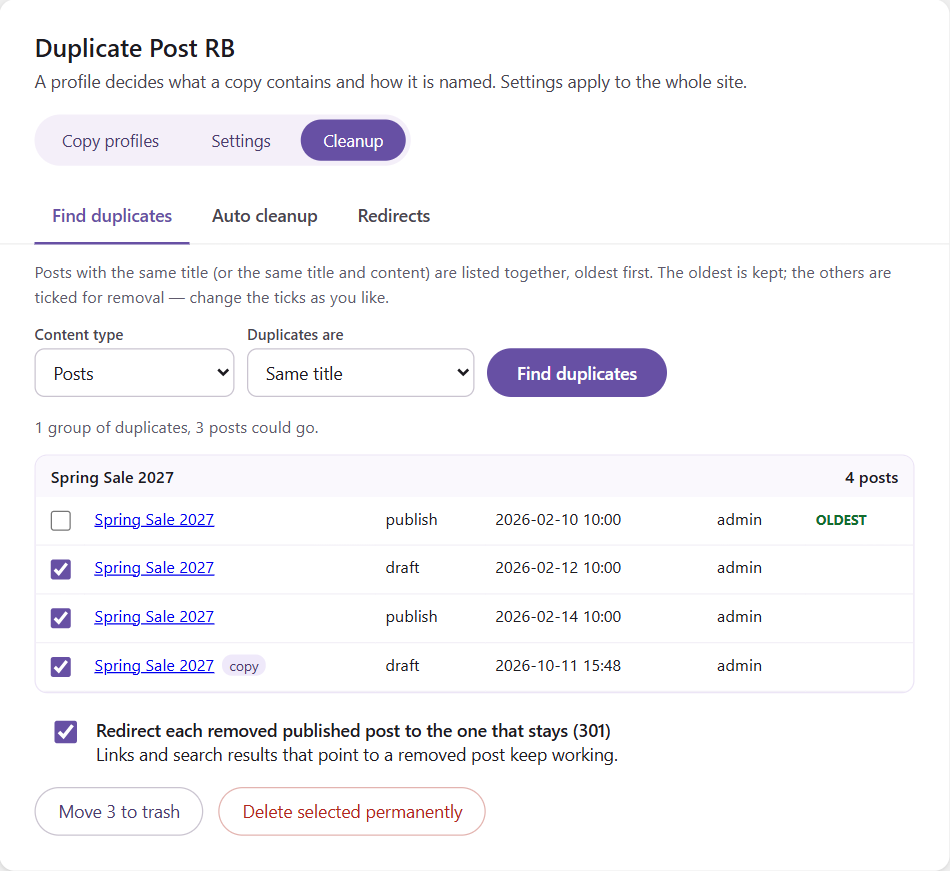
Each group lists its posts oldest first, with status, date and author; copies made by the plugin are marked copy. The oldest is kept and the others are ticked for removal — change the ticks as you like. In each group the first post left unticked is the one that stays.
Every removal is written to the log, with the title of the removed post.
A rewrite in progress (Rewrite & Republish) is never shown as a duplicate of its original.
Tick Redirect each removed published post to the one that stays (301). The address of every removed published post then sends visitors — and search engines — to the post of its group that stays. Drafts have no public address and get no redirect.
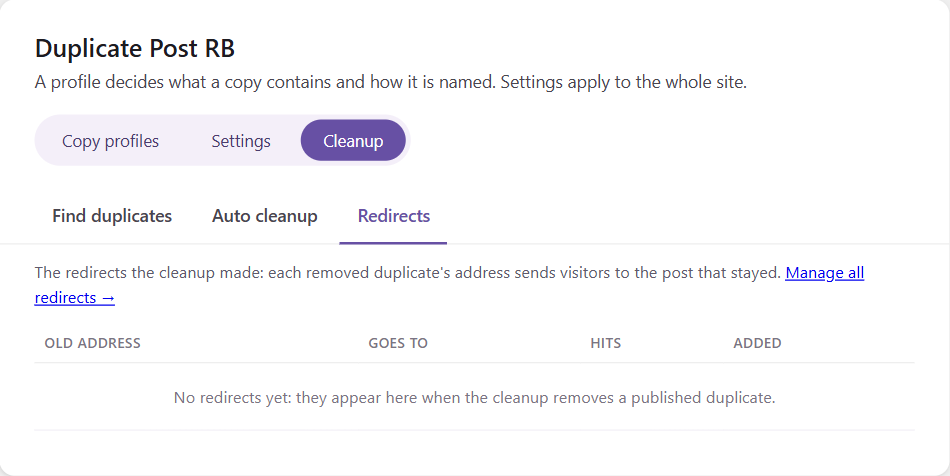
The redirects are made by RB Links Redirection, our free redirect plugin. Without it the option shows where to get it. The Redirects tab lists the redirects the cleanup made, with their hits; manage all redirects in RB Plugins → Redirection.
Let duplicates be removed on a schedule. Open the Auto cleanup tab:
| Setting | Meaning |
|---|---|
| Remove duplicates automatically | switches the schedule on |
| How often | every hour, day or week (WP-Cron) |
| Content types | which post types are checked |
| Duplicates are | same title and content (safe), or same title |
| Which one stays | the oldest or the newest of each group |
| Remove only drafts and pending posts | on by default: published, private and scheduled duplicates are left alone |
| Redirect removed published posts | a 301 to the post that stays (with RB Links Redirection) |
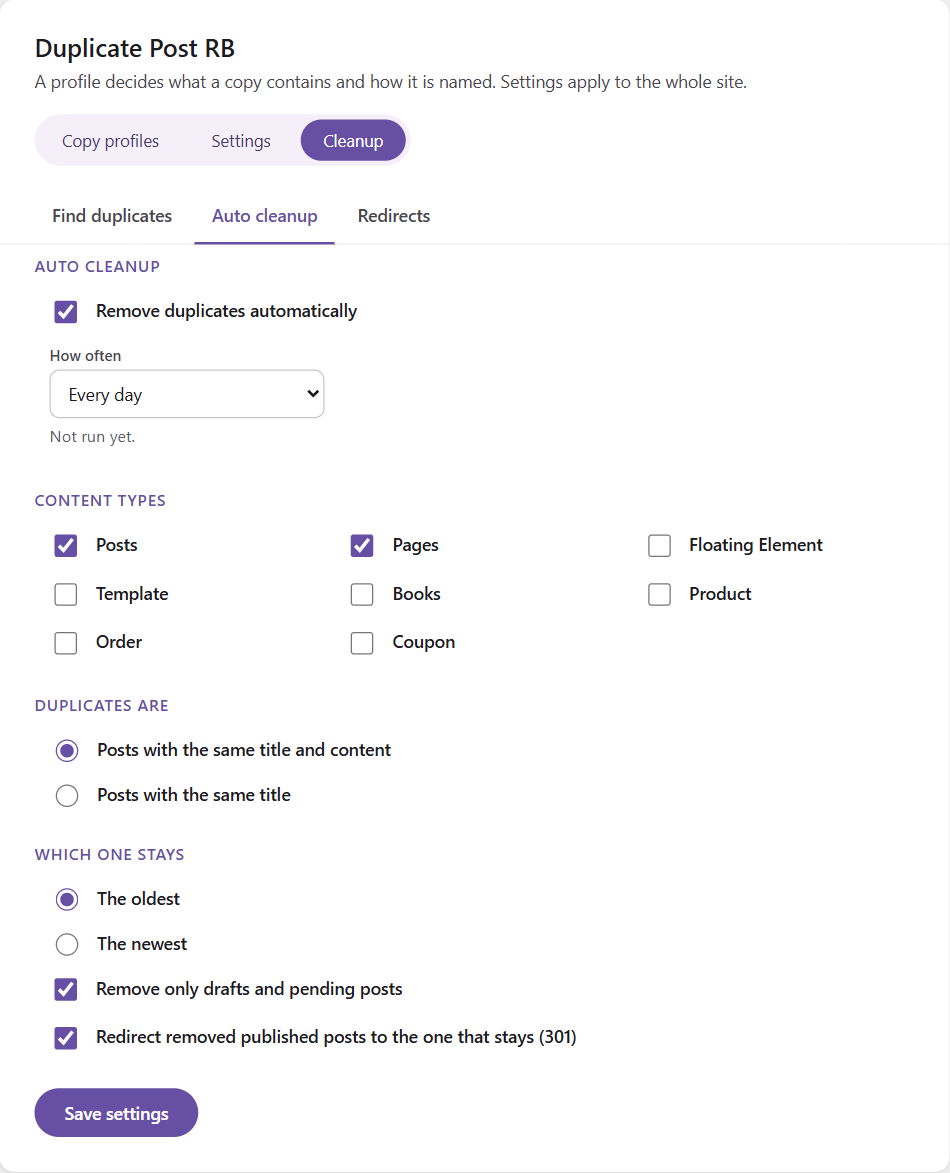
The auto cleanup always moves posts to the trash, never deletes them for good. The tab shows when it last ran and how many posts it removed.
Only administrators (users who may manage options) see and use the Cleanup.
Build faster, cleaner, and more reliable WordPress websites using lightweight plugins designed for real-world workflows.
Get started now