

Simplify your WordPress workflow!
Build faster, cleaner, and more reliable WordPress websites using lightweight plugins designed for real-world workflows.
Get started now
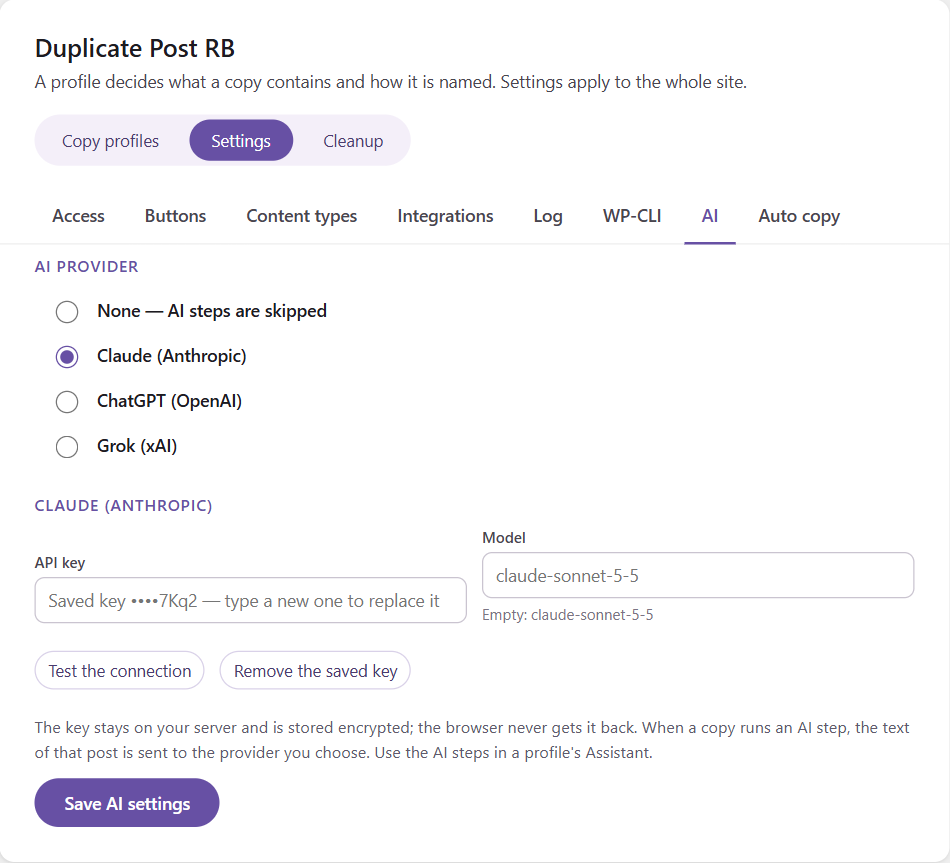
With Duplicate Post RB PRO the Assistant can use AI on every copy: rewrite it in other words, translate it, or write a fresh excerpt, SEO title and description. You use your own account with one of three providers:
Open RB Plugins → Duplicate Post → Settings → AI.
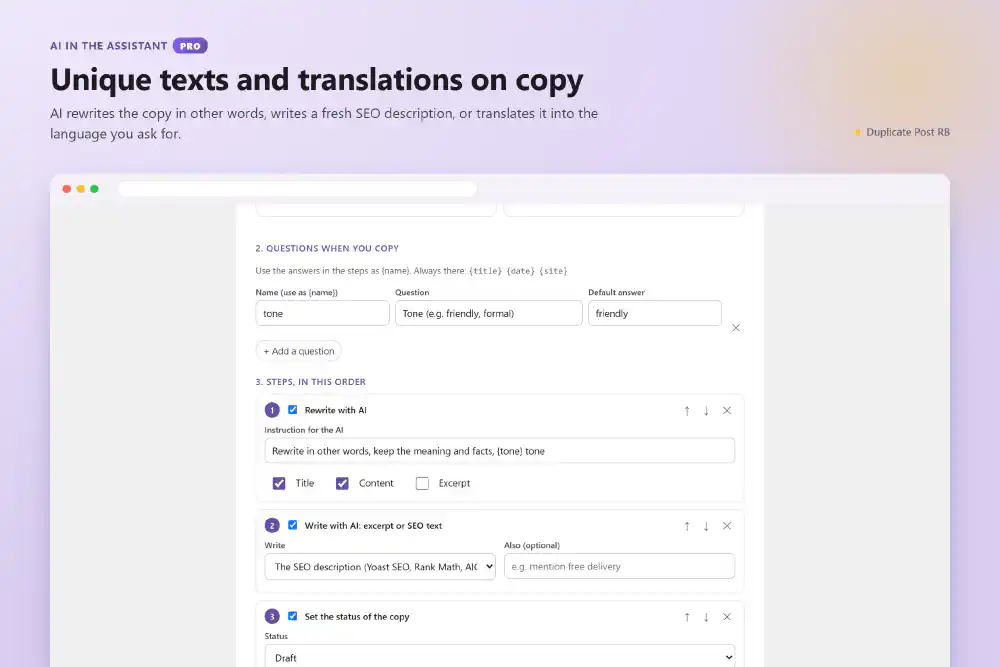
Add them in a profile’s Assistant tab, or start from the templates A unique text with AI and A translation draft with AI.
Rewrites the title, content and/or excerpt by your instruction, e.g. “Rewrite in other words, keep the meaning and facts, friendly tone” or “Adapt for customers in {to}”. Answers to the Assistant’s questions can be used in the instruction.
Translates the title, content and/or excerpt into a language — fixed (German) or asked when you copy ({language}). Names of brands and products are kept.
Writes, from the content of the copy:
SEO texts are saved for Yoast SEO, Rank Math or All in One SEO, whichever is active.
The AI is told to keep every HTML tag, attribute and WordPress block exactly as it is and change only the words people read, so the layout of the copy is the layout of the original.
Try it on a post in the Assistant runs the AI steps too: you see the AI’s text before any copy is made (each try is a request to your provider).
If the provider cannot be reached, the key is wrong or the account has no credit, the copy is made anyway, without the AI changes. The last error is shown on the AI tab.
Copies with AI steps take a little longer — the time the provider needs to answer. For many copies at once, consider Auto copy, which works in the background.
Build faster, cleaner, and more reliable WordPress websites using lightweight plugins designed for real-world workflows.
Get started now