

Simplify your WordPress workflow!
Build faster, cleaner, and more reliable WordPress websites using lightweight plugins designed for real-world workflows.
Get started now
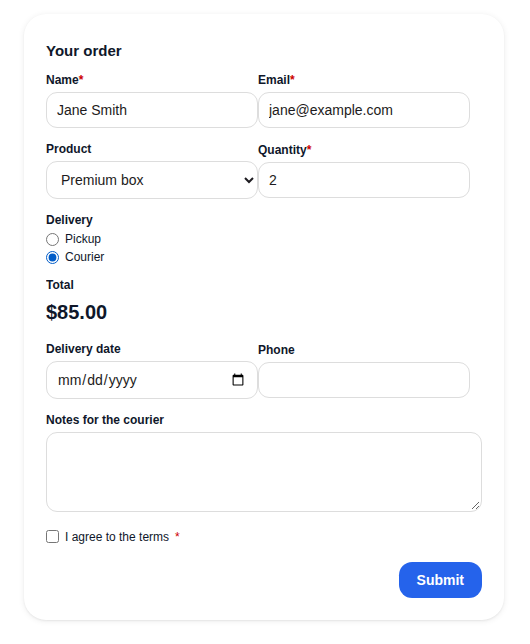
The Calculation field shows a number worked out from the other answers, live, as the visitor fills in the form: an order total, a quote, an estimate. It needs the PRO key.
$USDRefer to a field by its field name in curly brackets:
{product} * {qty} + {delivery}
You can use numbers, brackets, and:
| You write | It does |
|---|---|
+ - * / |
add, subtract, multiply, divide |
% |
the remainder of a division, not a percentage: for 20% write {price} * 0.2 |
min(a, b) max(a, b) |
the smaller or the larger value |
round(x, 2) |
round to 2 decimals |
ceil(x) floor(x) |
round up or down to a whole number |
abs(x) |
the value without its sign |
A formula can be up to 500 characters long. Dividing by zero gives 0.
Give an option a number after a vertical bar, in Options (one per line):
Pickup | 0
Courier | 15
Post | 8
Visitors see Pickup, Courier and Post. The formula counts 0, 15 or 8.
The result is worked out again on the server when the form is sent. The stored number is the server’s, not what the browser sent, so nobody can change a total by editing the page. The total on screen always equals the stored one.
Calculations give a price, but they do not take a payment: Forms RB has no payment fields yet.
Build faster, cleaner, and more reliable WordPress websites using lightweight plugins designed for real-world workflows.
Get started now